CEMETERY MANAGEMENT SOFTWARE | Dashboards
Tracking your cemetery performance has never been so simple |
Tracking your cemetery performance has never been so simple |
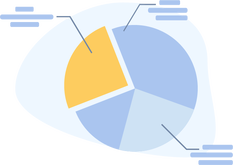
By clicking on your cemetery management Dashboard > Overview, you can track units sold and sales revenue over time, as well as get a snapshot of the current state of your cemetery's inventory. You can also track sales against your forecast and available inventory.
- EverArk Cemetery Software navigation: Dashboards > Cemetery |
By clicking on your cemetery software Dashboard > Gardens view, you can track and manage how your garden inventory is performing by plot status, plot type, plot orientation, and sales arrangement.
- EverArk Cemetery Software navigation: Dashboards > Gardens |
By clicking on your cemetery software Dashboard > Plots view, you can track inventory and sales by plot status - Hold, Available, Pending, Sold, or Unavailable.
- EverArk Cemetery Software navigation: Dashboards > Plots |
By using and leveraging the performance metrics in EverArk's cemetery software dashboards, you can track sales growth, forecast performance, inventory availability, order status, and much more.
- EverArk Cemetery Software navigation: Dashboards > Cemetery, Gardens, and Plots |
By using EverArk's cemetery management dashboards, you have quick access to our line and bar graphs, along with data views of your performance metrics. You can also easily switch between units and revenue views.
- EverArk Cemetery Software navigation: Dashboards > Cemetery, Gardens, and Plots |
By navigating through the various tab options for each Dashboard view, you easily track, monitor, and drill-down into the details of your cemetery performance.
- EverArk Cemetery Software navigation: Dashboards > Cemetery, Gardens, and Plots > All tabs |

|
Take a quick tour of EverArkLearn how EverArk can help you manage your cemetery and increase your revenue and growth.
|


|
Scroll through our features by user typeEverArk provides in-depth functionality for all cemetery users and customers.
Cemetery Management SoftwareCelebration of Life Software & App |


|
Try before you buy. Or, start with our Pro PlanSign up now and lock yourself into our beta pricing. Our extremely affordable $12 per user/month isn't going to last long.
|


|
Learn about our partner programWe value great partners and want to establish long-lasting relationships to build upon.
|

|
Read our latest blogStay informed with our latest blog chatter and industry trends.
|


Shop the plots our EverArk customers are selling online.
|
All our resources are at your fingertipsStay informed and explore all of our content, news, jobs, articles, and more. |


|
Register for EverArkTake the next step in cemetery innovation and get started with EverArk. Click on the type of user you are.
|

|
Quick Links
TOURFEATURESPRICINGPARTNERSBLOG
QUICK FACTS |
|
|
|
|
© 2024 Eternal Legacy Company LLC. All rights reserved.
EverArk® trademark is owned by Eternal Legacy Company LLC. |
TERMS OF SERVICE |
PRIVACY POLICY |
COOKIE POLICY |
DISCLAIMER |
SITEMAP |
|
U.S. PATENT
DIGITAL LEGACY AND LOCATION SERVICES FOR BURIAL SITES Covered by: U.S. PRV Application No. 15/865,298 |
|